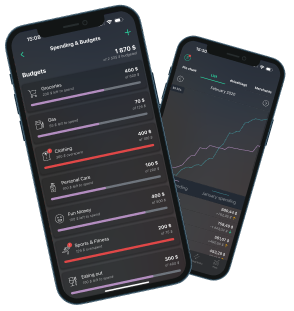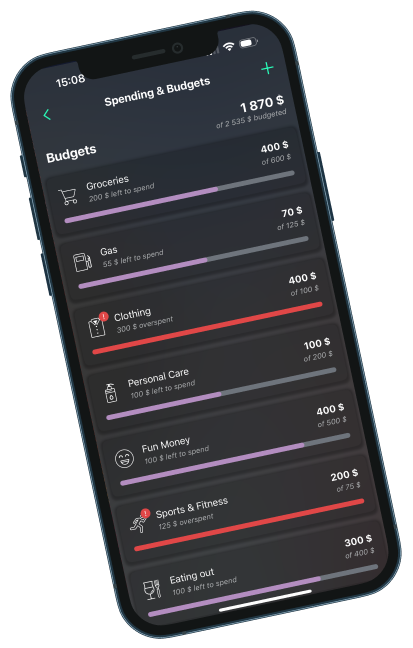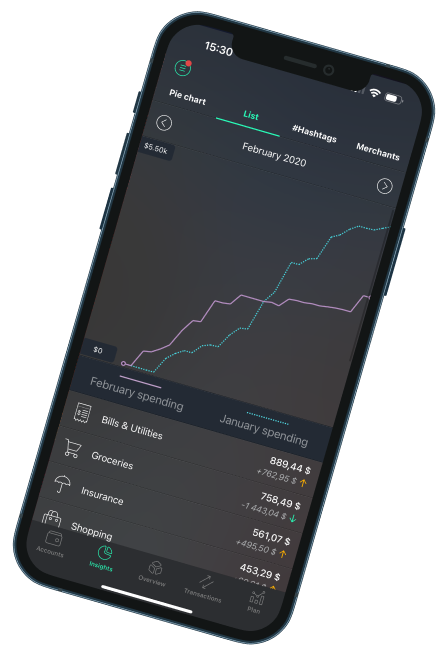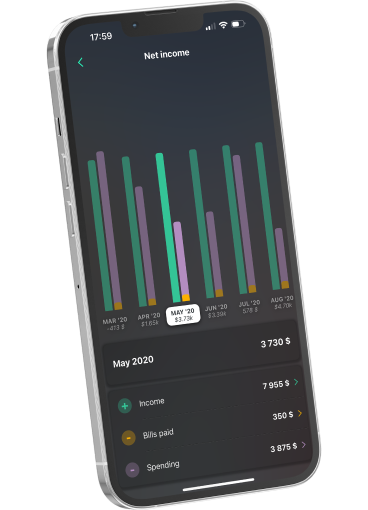
Compare your spending towards your income to see the leftover amount of money you have every month. Break down your expenses into recurring bills and variable categories.
Start your 7-day trial
Analyze your cash flow to see the remaining amount of money. Determine how much you spend on bills and other recurring expenses and compare it to your income and other variable costs.
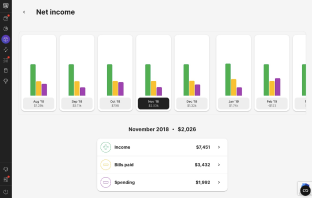
Analyze your expenses broken down by type. See how much you spend on recurring bills and other categories.
Keep track of your remaining funds at the end of each month after you have covered all your expenses.
Adjust your expenses to spend less than you earn, save more, make informed decisions, and live better.
Most people only realize they overspent when it's too late. PocketGuard shows your cash flow in real time, so you can course-correct while you still have time.
You get a clear split between fixed bills and everyday spending — so the culprit is always visible.
Gross salary looks great on paper. Cash Flow shows what's left after bills and recurring costs — the number that actually runs your life.
Past Cash Flow trends will make you aware of the seasons – holidays, insurance payments, and getting back to school.
Wondering if you can afford a new subscription or an extra loan payment? Your cash flow gives you the real answer in seconds, no spreadsheet needed.
Seeing income vs. expenses side by side makes it obvious where small changes can free up real money every month.
I kept thinking I was bad with money. Turns out I just had no idea where it was going. Cash Flow showed me in about 30 seconds.
Tomas W.
Every December I'd blow my budget without knowing why. Now I can see it coming months in advance and actually plan for it.
Lena K.
I finally understood why I was always broke mid-month — my recurring bills were eating 70% of my income. Seeing it laid out made it impossible to ignore.
Chris M.
“PocketGuard is highly automated, which means it requires less time and effort than many competing apps do. You'll be able to set up your account in just a few clicks.”
“The app’s easy-to-use interface, accessible pricing structure, spending alerts and recommendations make it excellent for improving your finances. That’s why it earned a spot on Forbes Advisors’ Best Budgeting Apps.”
You take everything you earn — your paycheck, side hustle money, or tax refunds — and stack it up against your outgoings. It's less about boring accounting and more about seeing the rhythm of your money so you aren't surprised by an empty balance mid-month.
Our cash flow tracker syncs with your bank accounts to see the real numbers. The app takes your total income and peels away the "non-negotiables": your rent or mortgage, utility bills, and those savings goals you're working toward. Whatever is left is your “Leftover" money — the actual cash you can spend right now.
Reliable money tracker helps you catch those "hidden" leaks — like that subscription you forgot to cancel — before they turn into a problem. It gives you the green light to spend on things you enjoy because you know exactly how much "wiggle room" you have after the important stuff is covered.
Exactly. No one wants to spend their Sunday night typing receipts into a spreadsheet. As an automated spending tracker, the app pulls in your transactions and sorts them into categories without you lifting a finger.
Whenever you open the cash flow tracking app, we refresh your data to reflect the most recent cleared transactions from your banks. It's designed to be a live look at your finances, so if you just swiped your card at lunch, you'll see that reflected as soon as we get the data from your bank and data provider.
When you track spendings, a solid starting point is trying to keep your "needs" around 50% of your take-home pay. That leaves the rest for your future self (savings) and your current self (fun). If you find you have nothing left after the bills are paid, it's a clear signal to look at your recurring subscriptions or fixed costs.
Regular updates, new features, connectivity improvements!
Free Trial
Monthly
Annual
Lifetime
7 Days Free
$0 Try all premium features free for 7 days. No commitment.
PocketGuard Plus
$12.99/month
$155.88 per year, billed monthly
All prices in US Dollars
PocketGuard Plus
$6.25/monthSave $81/year
Billed $74.99 yearly
All prices in US Dollars
PocketGuard Plus
$149.99/lifetime
One-time payment, own it forever
All prices in US Dollars
When income and expenses line up, that background worry fades. Net Income compares your income against recurring bills and variable spending, showing your monthly net so your budget stays realistic. Everything you need to manage your money lives in one app.