Leftover in PocketGuard shows how much money you have available to spend or save after covering your bills, budgets, goals, and debts.
Quick Answer
Leftover is calculated as:
Income − Expenses − Goals
It shows how much money you have left to spend after covering all planned expenses.
What Is Leftover in PocketGuard?
Leftover represents the amount of money you can safely spend or save after accounting for:
- Bills
- Budgets
- Goals
- Debt payments
It helps you understand how much money is truly available without affecting your financial plan.
How Does Leftover Work?
PocketGuard calculates Leftover by analyzing your connected accounts.
To ensure accuracy:
- Connect all your checking and credit accounts
- Let PocketGuard detect recurring income and bills
- Track your spending and goal contributions
Leftover resets at the start of each month and reflects your current financial situation.
How Is Leftover Calculated?
Leftover is calculated using this formula:
Income − Expenses − Goals
Example:
- Income: $3000
- Budgets: $500
- Bills: $1000
Leftover = $1500
This gives you a clear view of how much money remains after essential expenses.
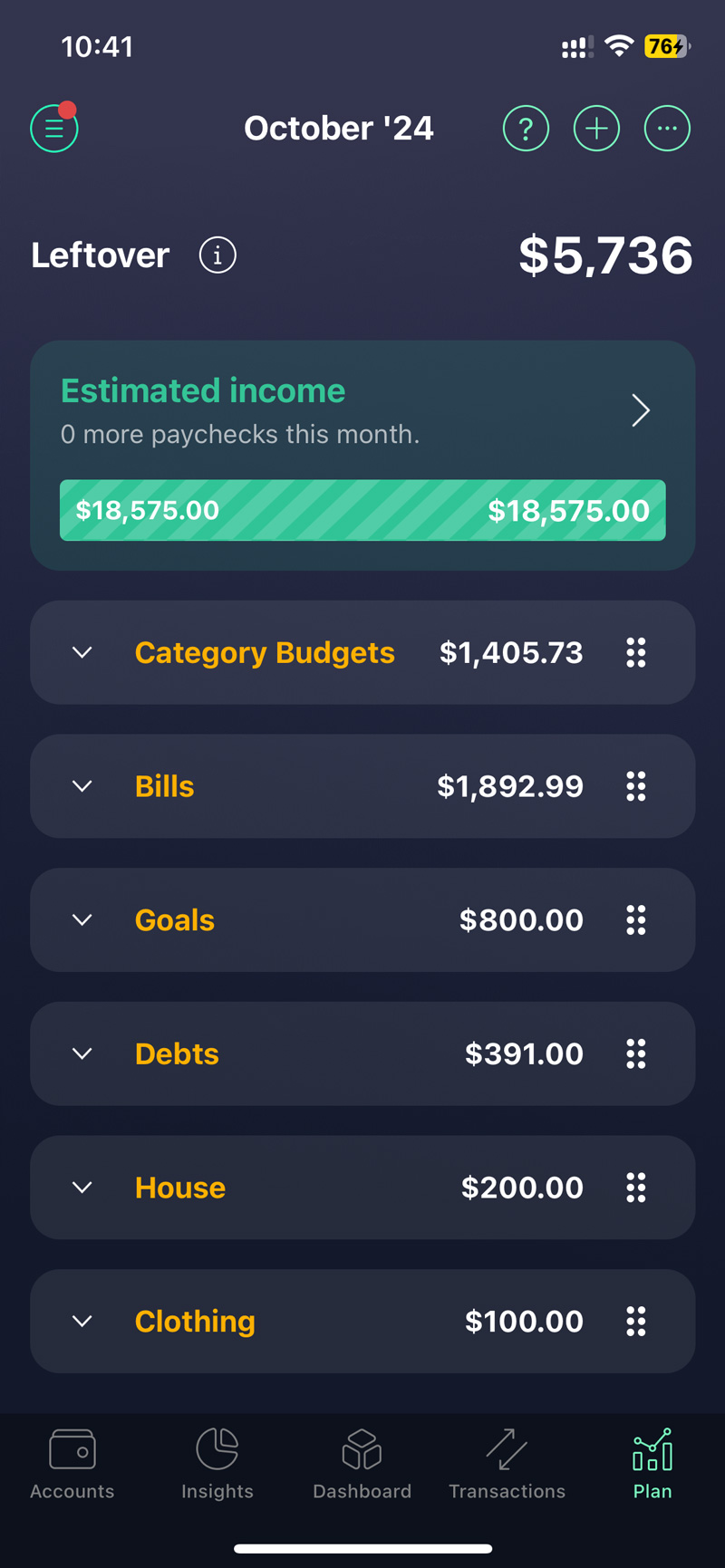
Where Can I See My Leftover?
You can view your Leftover:
- On the Dashboard tab (Plan card)
- In the Plan tab for a detailed breakdown
This shows your income, expenses, and remaining balance in one place.
How Do I Customize Leftover in PocketGuard?
You can organize your spending by creating and managing sections.
To create a section:
- Go to the Plan tab
- Tap + (top right)
- Enter a name and tap Save
To rename a section:
- Select the section
- Tap Edit section → Rename
- Save changes
To delete a section:
- Select the section
- Tap Edit section
- Toggle content migration (optional)
- Tap Delete
👉 You can also drag and drop sections to organize them.
What Should I Know About “Other Categories”?
- This section cannot be deleted
- It includes unbudgeted transactions and paid bills
- You can move it into other sections if needed
What Is the Plan Card on the Dashboard Tab in PocketGuard?
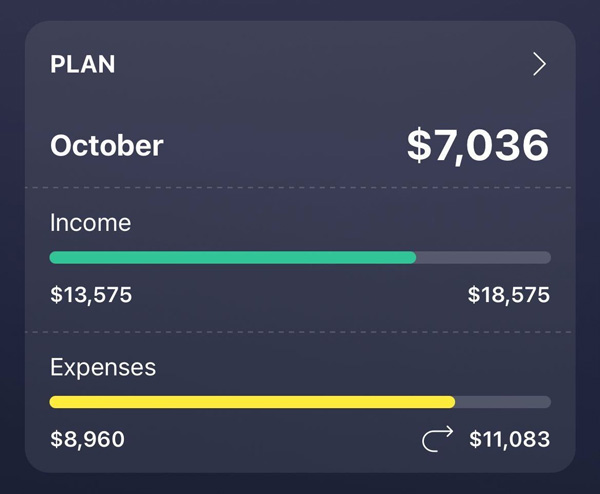
Now you are able to see your money in and money out information to better understand your Leftover. You can find this section at the top of the Dashboard tab. Simply saying, we take all your estimated and actual income received and deduct all your actual and planned expenses such as bills, category budgets, and debt payoff plans.
In case you have a financial goal, you may find a third Goal progress bar that shows your actual and budget amounts
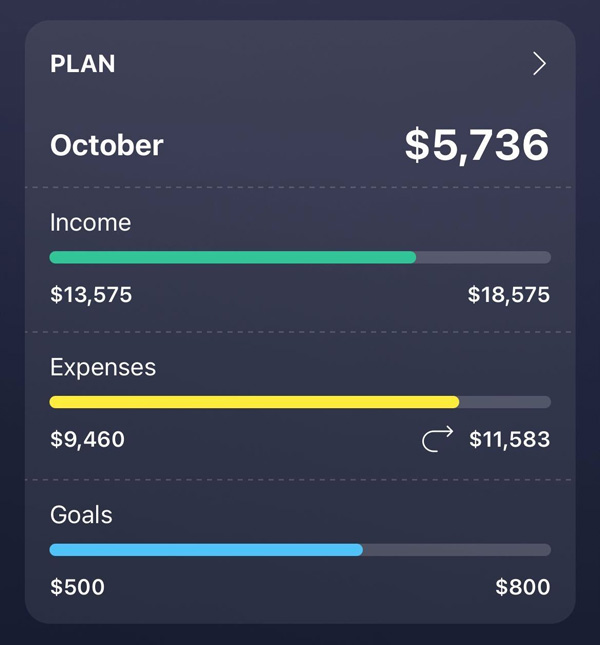
The final result of this calculation is displayed as your Leftover, calculated as:
Leftover = Income − Expenses – Goals
For a detailed breakdown of your budgeting components, simply click on the “Plan” card to view the calculations.
Do Transfers Count Toward Leftover?
No, PocketGuard excludes transfers between accounts to avoid double-counting.
If needed, you can include them by:
- Opening the transaction
- Turning off the “Don’t count” option
Why Is My Leftover Negative?
Your Leftover may be negative if your planned expenses exceed your income.
This can happen when:
- You have large one-time expenses (e.g., taxes, travel)
- You are spending from savings
👉 You can exclude such transactions using the “Don’t count” option.
If you have any questions, please feel free to contact us at support@pocketguard.com.