
Most people stop budgeting within a few weeks. Not because they lack discipline, but because manually sorting transactions and updating spreadsheets gets old fast. AI changes that equation: it scans your transactions as they happen, files them into categories without being asked, and catches things you’d likely miss – a subscription you forgot about, a bill about to hit before your paycheck does. Instead of rebuilding your budget every Sunday night, it just stays current on its own.
This isn’t a niche shift either. AI tools have become a normal part of daily life for most Americans, and personal finance is one of the places that’s showing up fastest.
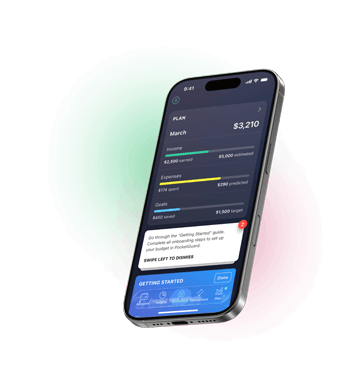
Take control of your money, optimize your spending and grow your savings automatically


Key takeaways:
- AI budgeting categorizes transactions, tracks subscriptions, and forecasts cash flow automatically
- 62% of Americans say they’re comfortable using AI specifically for budgeting
- AI works best at pattern recognition and repetitive tracking – not at making values-based financial decisions
- Apps like PocketGuard combine AI categorization with real-time spending alerts to keep budgets accurate without manual upkeep
- The personal finance app market is projected to nearly triple by 2030, driven largely by AI-powered features
Table of Contents
What AI Budgeting Really Means
AI budgeting isn’t a single feature – it’s a layer of automation sitting underneath the budget you’d normally build by hand. Instead of you manually sorting every coffee run and gas station stop into a spreadsheet column, machine learning models read the transaction, recognize the merchant, and file it correctly without you touching anything.
The “smart” part comes from pattern recognition. The algorithm doesn’t just categorize a single purchase – it learns your habits over time.
Comparison: Traditional Budgeting vs AI Budgeting
| Traditional budgeting | AI budgeting | |
| Transaction categorization | Manual, entered by hand | Automatic, learns over time |
| Time required weekly | 30–60 minutes | Minutes, mostly passive |
| Pattern detection | Relies on the user noticing | Surfaces patterns automatically |
| Bill and subscription tracking | Manual entry, easy to forget | Detected and flagged automatically |
| Forecasting | Static, based on past entries | Dynamic, adjusts to real spending |
| Alerts | None unless self-monitored | Real-time, before you overspend |
The Budgeting Tasks AI Can Automate
Here’s where the automation actually shows up day to day:
Automatically categorizing transactions
Everything else builds on this one piece. The moment a charge shows up, AI checks the merchant name against a database that’s updated constantly and slots it into the right bucket – groceries, dining, gas – before you’ve even thought about opening the app.
Identifying recurring bills and subscriptions
Subscription creep is one of the most common reasons budgets fall apart quietly. AI scans your transaction history for recurring charges – same amount, same merchant, regular interval – and flags them as subscriptions even if you never explicitly entered them. This is also where tools double as a built-in subscription management app, surfacing services you forgot you were paying for.
Forecasting cash flow
Rather than just showing you what already happened, AI models project what’s coming. Based on your income schedule and historical spending, the system can track your cash flow and estimate your account balance two weeks out, factoring in bills that haven’t been posted yet. PocketGuard’s Pace feature does this at the budget level, showing whether your spending is on track before the month ends.
Sending real-time budget alerts
Static budgets fail because by the time you check them, the damage is done. AI-powered alerts work in real time – a push notification the moment you’re approaching a category limit, or a warning before a low-balance day. This is one of the areas where AI adoption is least controversial: two-thirds of consumers say they’re most comfortable when AI is tracking spending and supporting behind-the-scenes functions like this.
Detecting spending patterns
This is where AI starts earning its keep beyond basic sorting. It watches for things that build up slowly – grocery prices creeping higher month over month, food delivery becoming a habit instead of a treat, your utility bill swinging the same way every summer. None of that jumps out from a single statement. It only becomes obvious when something is comparing months of data side by side, which is exactly the kind of grunt work machine learning is good at and humans tend to skip.
How AI Turns Financial Data Into Actionable Insights
Data collection was never really the bottleneck – your bank app has been logging every transaction for years. The actual challenge is turning a pile of transactions into something you can do something with. That’s the gap AI is meant to close in a budgeting tool. Without it, “AI-powered” is just a label slapped on a glorified transaction list.
The process generally works in three stages. First, the system aggregates your data across accounts – checking, savings, credit cards – into one unified view, since most people’s money is scattered across multiple institutions. Second, it applies pattern recognition to that combined dataset, comparing your current month against your historical baseline to flag what’s different. Third, it translates those patterns into plain language: not “category 14 variance +23%” but “you’ve spent $180 more on dining out than your monthly average.”
Benefits of Using AI for Budgeting
Time is the obvious win. Sitting down to categorize a month’s worth of transactions and patch together a spreadsheet is exactly the kind of task AI just handles in the background, without you noticing it’s happening. But that’s not really why adoption has taken off the way it has.
The bigger draw is that AI doesn’t get sloppy with the small stuff. It categorizes the $4 coffee the same way it categorizes the $400 car repair, every time, without losing interest halfway through the month. There’s also a quieter benefit people don’t talk about enough: a push notification saying you’re close to your dining limit just feels different than opening a spreadsheet and confronting your own choices line by line. Less guilt, more information. And because everything updates as it happens, what you’re looking at is your actual financial life right now – not a snapshot from three weeks ago when you last bothered to check.
The market numbers back this up too. Personal finance apps are on track to grow from $165.9 billion in 2025 to $207.69 billion in 2026, with projections pushing past $500 billion by 2030 – and AI features are repeatedly named as one of the reasons. That’s not just industry hype; it reflects people actually changing how they manage money.
What AI Can and Cannot Do for Your Budget
The honest answer sits somewhere in between – here’s where that line falls.
What AI does well
AI is excellent at the repetitive, data-heavy work that makes budgeting tedious: categorizing transactions, tracking recurring charges, spotting trends across months of data, and sending timely alerts. It’s also good at forecasting based on patterns – predicting your balance, estimating upcoming bills, flagging unusual activity.
Where human judgment still matters
AI doesn’t know that you’re saving for a wedding, supporting a family member, or deliberately overspending this month because you just got a promotion and want to celebrate. It can tell you that your spending is unusual; it can’t tell you whether that’s a problem. Trust in AI drops sharply when it’s positioned as an autonomous decision maker for complex or high-stakes financial choices – and that instinct is generally right. The best use of AI in budgeting is as a research assistant that hands you better information, not as a replacement for deciding what your money is actually for.
Common Challenges of AI Budgeting
No system is perfect, and AI budgeting tools come with a few recurring friction points. Miscategorization still happens, especially with new merchants or unusual transaction descriptions, which means most tools need occasional manual correction. Bank syncing can also be inconsistent – a connection drops, a transaction posts late, and your real-time picture is briefly out of date.
How PocketGuard Uses AI to Simplify Budgeting
Automated expense categorization
PocketGuard connects to your bank accounts and automatically sorts transactions into categories the moment they post, removing the need to manually log purchases or reconcile a spreadsheet at the end of the month.
Leftover: what’s safe to spend
The app’s “Leftover” feature calculates how much you can safely spend after accounting for bills, savings goals, and existing budgets – giving you a single, real-time number instead of asking you to do that math yourself.
Subscription and bill monitoring
PocketGuard scans for recurring charges automatically, surfacing subscriptions you may have forgotten about and giving you the option to cancel directly within the app – a meaningful help for anyone trying to stick to your budget without manually auditing every line item each month.
Personalized budget guidance
This is where it goes beyond just watching your spending. PocketGuard looks at what you’ve actually been spending in each category and suggests limits that match your real habits – not the generic “30% on housing, 15% on food” formula that ignores the fact that you live in a city with $2,500 rent and a long commute.
Spending forecasts with Pace
Pace looks at your budgets, upcoming bills, and recent spending to forecast whether you’re on track for the month – On Pace, Under Pace, or Over Pace – so you can adjust before you overspend, not after.
The Future of AI-Powered Budgeting
Categorization was the easy part, and most tools have already nailed it. What’s coming next is more about looking forward than logging the past – modeling what your savings goal actually looks like if rent jumps $200, or what a new streaming subscription does to your cash flow six months from now, before you commit to it.
Talking to your budget is also becoming normal. Instead of digging through a report to figure out why your spending is up, you’ll just ask, and get an answer in plain language.
For anyone just getting started, the easiest entry point is a budgeting app with a free trial, so you can test deeper forecasting and insight features before deciding whether they’re worth paying for.
FAQ
How does AI automate budgeting?
It connects to your accounts, sorts every transaction as it comes in, catches recurring bills and subscriptions on its own, and gives you a heads-up before you’re about to overspend. Which removes most of the manual work involved in how to track expenses by hand.
Can AI create a budget automatically?
Yes – it’ll build a starting budget from your actual income and spending instead of making you guess at numbers. Worth a quick once-over since it doesn’t know your personal goals yet, but you’re not starting from a blank page.
Is AI budgeting safe?
Legitimate apps use the same bank-level encryption and read-only access as your banking app – they can see your transactions, not move your money. Still worth checking a provider’s security page before you connect anything, but the technology itself isn’t the risky part.
What are the benefits of AI budgeting apps?
Mainly time and an earlier warning system. Instead of finding out you overspent after the fact, you get flagged while there’s still time to do something about it – without spending your Sunday night on a spreadsheet. It also makes it easier to manage your money better without dedicating hours each week to spreadsheet upkeep.
Can AI help users save money?
Indirectly, yes. It won’t move money into savings for you, but catching a forgotten subscription or flagging an unusual charge plugs the small leaks that quietly drain a budget over time – which adds up more than people expect.

Take control of your money, optimize your spending and grow your savings automatically

