
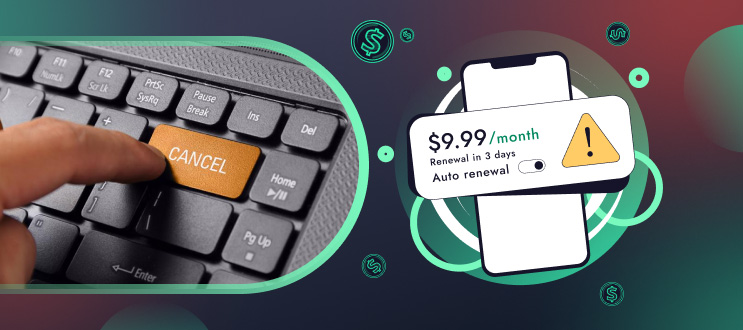
Nearly a quarter of Americans spend over $100 a month on subscriptions, according to a Bango report. It’s no surprise, then, that many people forget to find and cancel them and end up paying for services they no longer use or never intended to keep. Over time, these forgotten subscriptions can quietly add up to a significant additional monthly expense.
Table of Contents
Why It’s Important to Cancel Unwanted Subscriptions
A lot of the unnecessary subscriptions quietly renew because that’s how they were set up. A defunct streaming service, a gym trial from back in the day or a subscription box that you never open can chip away at your bank account every month. These small fees may not seem like much at first, but if they continue for a year, they can add up to hundreds of dollars.

Take control of your money, optimize your spending and grow your savings automatically


Cancelling them is not just a matter of money; it’s about awareness. When you look carefully, you may notice just how many services you have picked up over the years via a one-click sign-up or a time-limited offer. Cutting these unnecessary payments makes it possible to keep more of what you earn, focus on the expenses that really matter, and clear away financial clutter. Just for anyone trying to develop better habits, that alone brings a lot more clarity.
How to Find and Cancel Subscriptions Easily
Some people try to do it manually. Starting by reviewing financial accounts. So, they go to bank statements, credit card reports, and PayPal histories. Some just go to the email inbox searching for terms like “renewal,” “receipt,” “membership,” or “auto-charge.”
However, manual searches tend to be rather hard to manage and the process doesn’t guarantee that you will find the complete list; That’s why, if you prefer a faster method, you can use our tools that automate the process. A subscription tracker monitors all your recurring charges in one place and lets you cancel unwanted services with just a few clicks, you’ll have no more forgotten payments draining your account.
PocketGuard offers an app that tracks subscriptions and organizes them in one place. This makes it much easier to spot overlooked items and take action. Once you have a full list, go through each service and decide whether it still adds value to your life.
How to Cancel Subscriptions Through App Stores or Accounts
Many users don’t realize that most recurring payments run through app stores, not individual websites. Learning where your subscriptions originate makes cancellation much smoother.
Cancel through Apple
Go to Settings → Your Name → Subscriptions. Select the service and tap “Cancel.”
Cancel through Google Play
Open Play Store → Profile → Payments & Subscriptions → Subscriptions. Choose the subscription you no longer want and end it directly.
Cancel through Amazon
Visit Your Account → Memberships & Subscriptions, then select “Manage” and stop the service.
Cancel directly with providers
Some services require logging into your online account. Streaming platforms, cloud storage, news sites, and software tools often hide the cancellation option under “Billing” or “Membership.” Screenshots of confirmation emails are helpful in case a charge appears again later.
This step-by-step approach is considered by many to be the easiest way to cancel subscriptions, especially when you aren’t sure where the charges are coming from.
Manage Your Subscriptions with PocketGuard
Even after manually canceling unnecessary services, the real challenge is managing subscriptions in the long term. New trials, updates, and app sign-ups slowly accumulate, and without a tracking system, it’s easy to lose visibility again.
PocketGuard simplifies this by putting all your recurring payments into a single dashboard. It flags unusual increases, identifies subscriptions you haven’t used in a while, and helps you keep an eye on upcoming renewals. This is extremely useful if you’re trying to stay organized or want someone to help cancel subscriptions when things get on top of you.
Once you unsubscribe from services, you might find that your cash flow instantly gets better. Tools like this are what make digital life easier and help you stay in the black.
Spending some time to review and cancel an unused subscription is a straightforward step you can take to improve your finances and create more room in your budget. Once you know where to look, it becomes a lot easier. With the right tools and an occasional audit, you remain in control and stop paying for services that no longer work for you.

Take control of your money, optimize your spending and grow your savings automatically

December 05, 2025

December 05, 2025